What is Construction Cost Tracking Software?
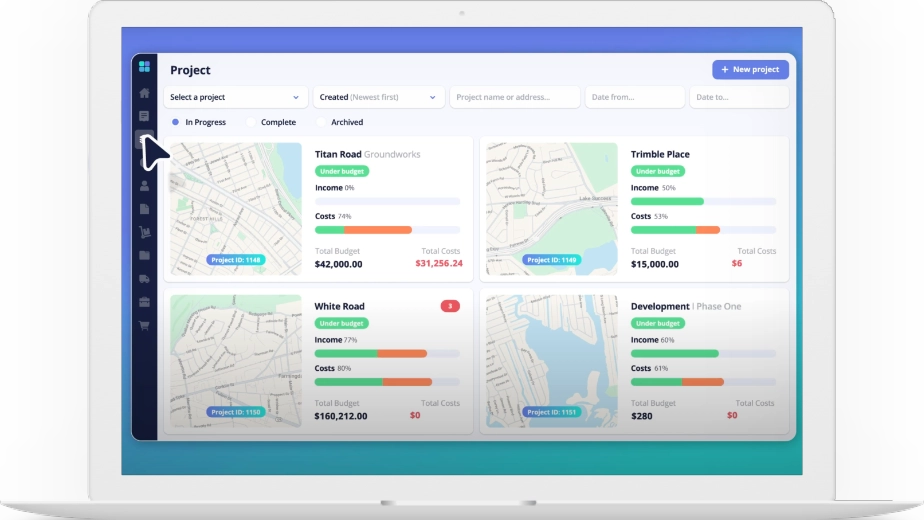
See key cost data about your projects, automatically, in live reports on a custom dashboard. Learn more about LiveCosts construction project dashboard.
How does Construction Cost Tracking Software work?
The software integrates with accounting tools and project data to track expenses in real-time. It categorises costs like labour, materials, and equipment, giving detailed insights into budget vs actual spending.
Who can benefit from using project cost management software ?
Contractors, project managers, quantity surveyors, office admin and construction business owners can benefit. It’s ideal for SMBs managing multiple projects where accurate cost control is crucial.
Are there Budget Management Features?
Yes it is a construction budgeting software. Budgets can be created from templates or imported from excel. Simple or complex structures can be created based on the contractors needs.
Why is cost tracking important in construction projects?
Cost tracking ensures projects stay on budget by providing visibility into where money is spent. It helps identify overspending early, improves profit margins, and ensures accurate financial reporting.
What features should I look for in Construction Cost Tracking Software?
Key features include real-time Job costing, Procurement workflows, Invoice management, financial reports and integration with accounting software like Xero, Sage & QuickBooks and support for complex budget project structures.
Can Construction Cost Tracking Software integrate with Xero, Sage or QuickBooks?
Yes, most modern solutions integrate seamlessly with accounting software like Xero, Sage and QuickBooks, ensuring accurate, up-to-date cost tracking across all systems.
How do I choose the best Construction Cost Tracking Software for my business?
Consider ease of use, features like real-time cost tracking, integration capabilities, customer support, and scalability to suit both simple and complex project needs.