LiveCosts vs Excel (Spreadsheets)

Many UK contractors use Excel spreadsheets to manage project budgets, CVRs, valuations and cost forecasts. As projects grow, manual updates, version conflicts and working in silos make it harder to track spending and profitability.

LiveCosts is construction cost tracking software that brings budgets, purchase orders, invoices, labour and financial reporting into one system. It helps contractors track actual and committed costs in real time, without relying on manual spreadsheet updates.

Why contractors choose LiveCosts over spreadsheets from budget to final account?
Live CVR reporting with actual costs, commitments and forecasts.
AI document extraction for supplier quotes, purchase orders and invoices.
Construction procurement with RFQs, POs, approvals and site deliveries.
Labour and equipment costs are linked to projects and budgets.
Two-way integration with Xero, QuickBooks and Sage.
Excel vs LiveCosts Comparison

Side-by-side comparison

Feature LiveCosts Excel Spreadsheets
Job costing

Live costs by project and cost code

Manual entry or data imports

Budget vs actual

Live budget tracking

Formulas and manual updates

Committed costs

POs update project commitments

Requires a maintained PO register

CVR reporting

Connected cost and value data

Manual reconciliation and calculations

Cost forecasting

Forecasts linked to project costs

Custom forecast models

Purchase orders

RFQs, approvals and PO tracking

Templates and separate registers

Invoice processing

AI extraction and three-way matching

Manual entry or external tools

Labour tracking

Timesheets linked to job costs

Manual timesheets and imports

Variations

Built-in variation management

Manual variation registers

Retentions

Construction-specific workflows

Custom formulas and registers

CIS

Supports construction workflows

Manual calculations or external software

Cost codes

Linked across project costs

Custom coding and formulas

Accounting integration

Xero, Sage and QuickBooks

Manual imports or custom connections

Collaboration

Shared project cost records

Shared files and version control

Implementation

Guided onboarding in a few days

Immediate basic use; setup varies

Trusted by construction companies globally

Why teams pick LiveCosts

Control Project Spending

LiveCosts helps contractors manage project spending before it reaches the accounts department.

Track Project Costs in One Place

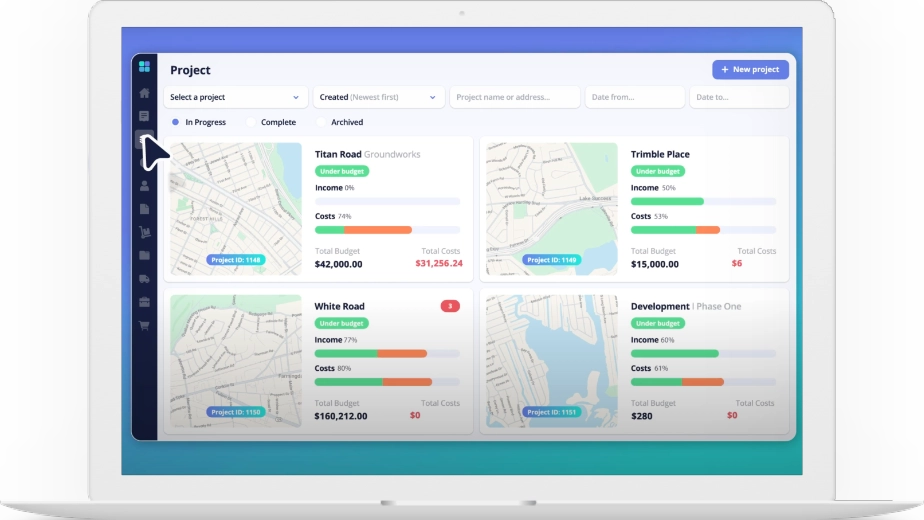
Instead of collecting figures from separate spreadsheets, teams can track purchases, invoices, labour and budgets in one place.

Live Cost and Margin Visibility

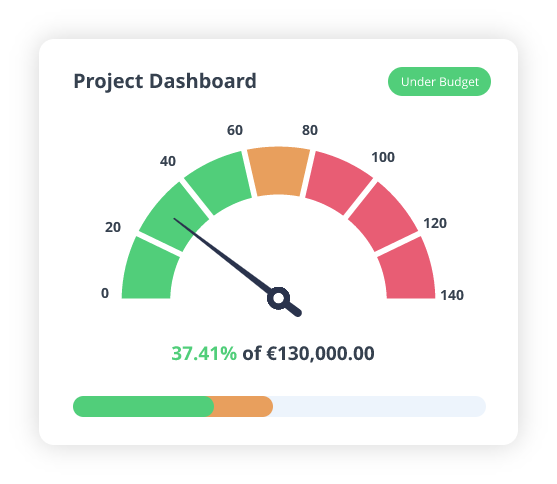
Commercial managers and quantity surveyors get a clearer view of committed costs, remaining budgets and expected project margins.

macbook@2x

Feature Comparison: LiveCosts vs Spreadsheets

Compare how both approaches handle job costing, procurement, CVRs, forecasting and UK construction workflows.

Job Costing

Track labour, materials, plant and subcontractor costs against project budgets

Spreadsheets

Quantity surveyors can prepare CVRs and forecasts using Excel formulas. They must update actual costs, commitments, variations and forecast figures to maintain an accurate position.

LiveCosts

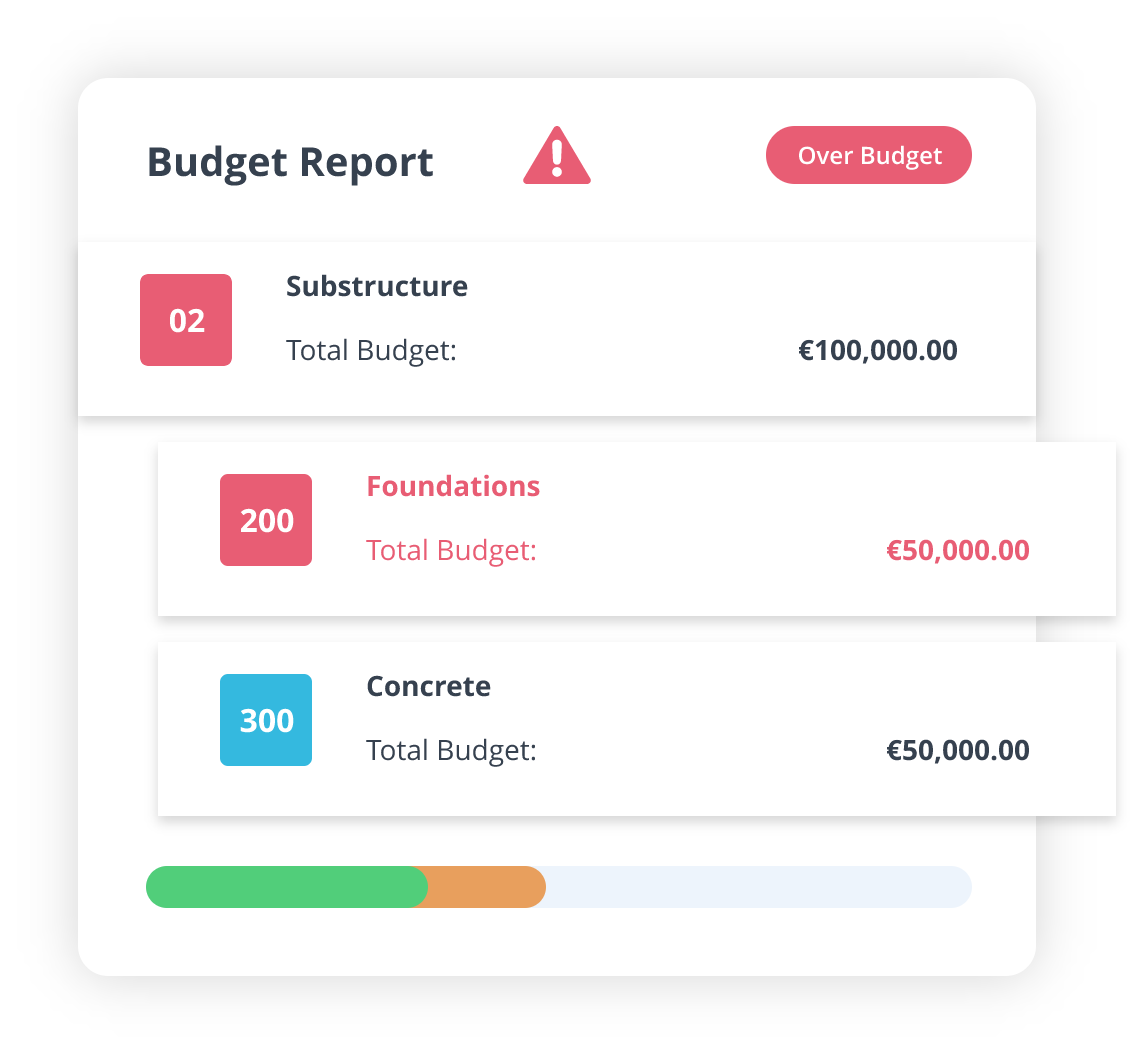
LiveCosts brings budgets, actual costs, commitments and project value into CVR reporting. Commercial teams can review cost forecasts, identify budget pressure and track expected profitability.
CVR Reporting and Forecasting

Compare project costs and value to assess financial performance.

Spreadsheets

Quantity surveyors can prepare CVRs and forecasts using Excel formulas. They must update actual costs, commitments, variations and forecast figures to maintain an accurate position.

LiveCosts

LiveCosts brings budgets, actual costs, commitments and project value into CVR reporting. Commercial teams can review cost forecasts, identify budget pressure and track expected profitability.
Procurement

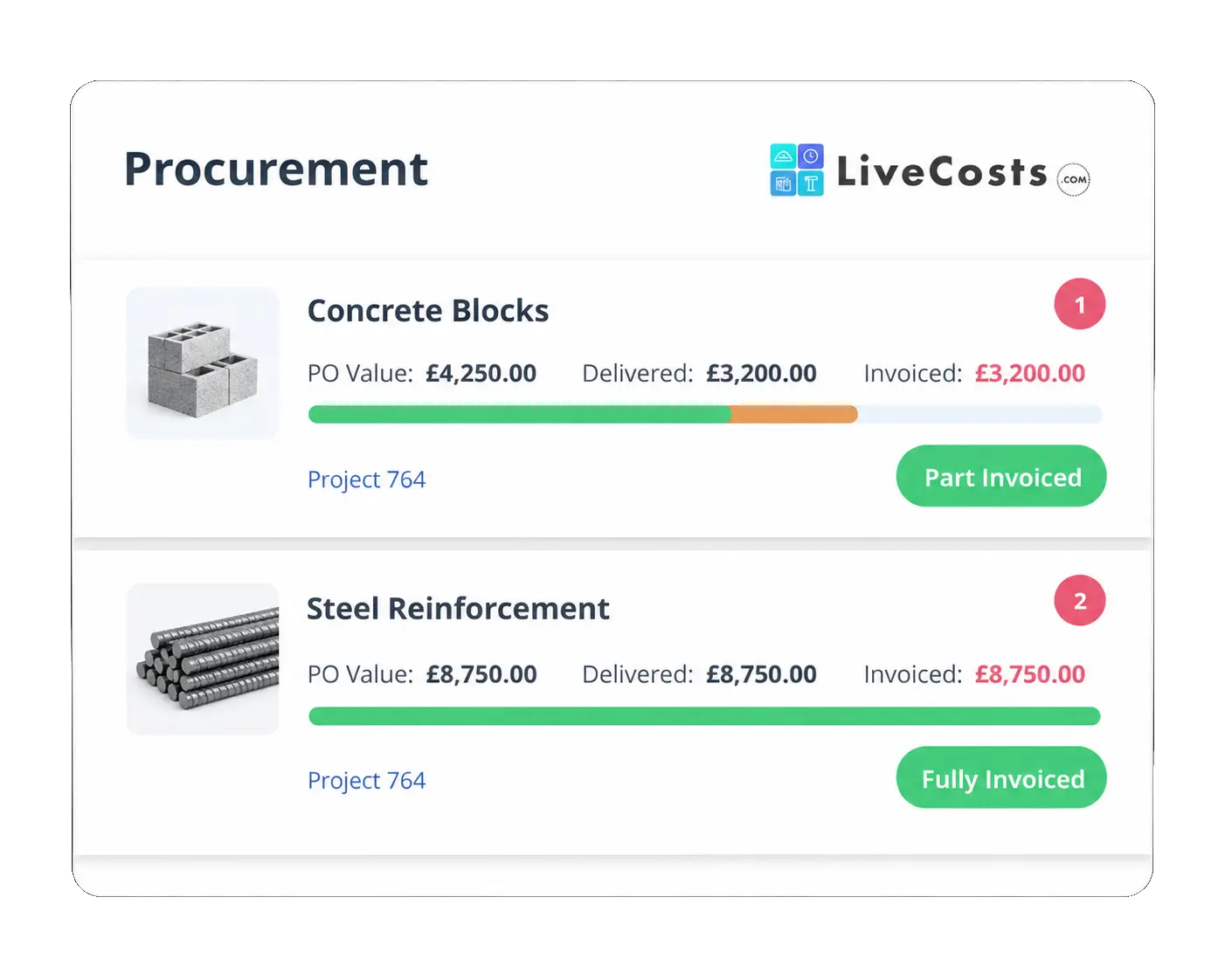
Manage supplier quotations, purchase orders, approvals and deliveries.

Spreadsheets

Contractors can use Excel templates to record supplier quotes, purchase orders and deliveries. Tracking approvals and outstanding commitments requires regular updates and supporting records.

LiveCosts

LiveCosts connects RFQs, supplier quotes, purchase orders and deliveries. Approved purchases update committed costs, helping teams see future spending before invoices arrive.

Ready to get started?

Discover how easy it can be to track and control costs in real time.

Implementation timelines

Switching from spreadsheets to LiveCosts involves more than transferring figures. Contractors need to consider budgets, cost codes, active projects and existing accounting records.
Approach Setup time Typical steps
LiveCosts Typically a few days Import budgets, set up projects and cost codes, connect accounting, configure approvals and train teams
Spreadsheets Immediate for basic tracking Create templates, define cost codes, build formulas, assign access and establish update processes

Note: Implementation times depend on business size, project complexity and existing data. Many LiveCosts customers are up and running within 1-5 days. Our onboarding team helps you set up your first project and supports you as you roll out across the business.

Where LiveCosts fits — and common drawbacks

Spreadsheets remain useful for budgeting, calculations and smaller projects. However, contractors managing several active jobs may need more control over purchasing, costs and reporting.

LiveCosts provides a dedicated system for teams that need current financial information without maintaining multiple spreadsheets.


Where LiveCosts Fits

  • Contractors managing several active projects and budgets.
  • Quantity surveyors preparing regular CVRs and forecasts.
  • Commercial teams tracking purchase commitments and variations.
  • Finance teams handling supplier invoices and approvals.
  • Businesses replacing manual job costing and cost reports.
  • Contractors using Xero, QuickBooks or Sage for accounting.

Common Spreadsheet Drawbacks

  • Outdated figures: Reports depend on regular manual updates.
  • Version conflicts: Different teams may use different files.
  • Missing commitments: Purchase orders may not appear in cost reports.
  • Manual reconciliation: Teams must match invoices, costs and accounting records.
  • Formula errors: Changes to formulas can affect calculations.
  • Limited audit trails: Approval histories require additional controls.
  • Reporting delays: CVRs and forecasts take longer when records are disconnected.

Why Choose LiveCosts

Both approaches can support construction job costing. The right choice depends on project complexity, reporting needs and how much manual work your team can manage.

Choose LiveCosts if… Keep spreadsheets if…
You manage several active projects You manage a few straightforward jobs
You need live actual and committed costs Periodic cost updates meet your needs
Your team handles frequent purchase orders Purchasing activity is limited
You prepare regular CVRs and forecasts Basic budget reports are sufficient
You want connected invoice approvals Manual invoice checks remain manageable
Multiple teams need current cost information One person maintains project records
You want job costs linked to accounting Existing reporting processes work well

The key difference: Spreadsheets offer basic cost calculations. LiveCosts connects the purchasing, invoice and labour workflows that keep project costs current.

Related Comparisons

See how LiveCosts gives contractors real time control over project costs, procurement and profitability, and how it compares with Eque2.
Compare LiveCosts and Tradify to see whether detailed construction cost control or straightforward trade job management is right for your business.

Frequently asked questions

Yes. LiveCosts is better than spreadsheets job costing, it centralise project budgets, procurement, cost tracking and financial reporting. Excel remains useful for custom calculations and other spreadsheet tasks.
LiveCosts supports live CVR reporting using project budgets, actual costs, commitments, value and forecasts. Contractors can reduce the manual reconciliation needed to prepare and update CVRs.
Approved purchase orders update project commitments before supplier invoices arrive. Contractors can compare committed and actual costs against budgets to understand remaining spending capacity.
Yes. LiveCosts supports supplier RFQs, quotation comparisons, purchase orders, approvals and delivery tracking. Purchases link to projects and cost codes.
LiveCosts supports construction cost control, variations, CVR reporting and relevant CIS workflows. Contractors should confirm their specific contractual and compliance requirements during a demonstration.
LiveCosts has a subscription cost, while many contractors already have access to Excel. The value depends on how much time the business spends updating spreadsheets, reconciling costs and preparing reports. Contractors should compare those costs with their current workload and project needs.
Trusted by Contractors Worldwide to Control Project Costs and Protect Profitability.
Ready to get started?

Discover how easy it can be to track and control costs in real time.