Xero vs LiveCosts

Xero is an accounting software for managing bookkeeping, invoicing, VAT, payroll and financial reporting. Xero Projects also supports job costing, budget tracking and project profitability.

LiveCosts is construction cost management software focused on live project costs, committed spending, real-time CVR, procurement and forecasting. It works alongside Xero rather than replacing it.
Construction workflows for retention, variations, interim valuations and cost forecasting.
Live CVR tracking with committed cost visibility and real-time forecasting.
AI data extraction for supplier quotes, purchase orders, and invoices.
Construction purchase orders, mobile site deliveries and built-in time tracking.
Two-way integration from a trusted Xero App Partner.
Xero vs LiveCosts

Side-by-side comparison

Aspect LiveCosts Xero
Time to implement

1 to 5 days

1 to 4 weeks depending on setup

Quote to PO workflows

AI line-item extraction with automatic coding to projects and cost codes

Bill capture for accounting

Construction forecasting

RFQs, quote comparison, approvals and purchase orders

Basic project reporting

Variations

Built-in variation management

No dedicated construction variation workflow

Retentions and progress claims

Built specifically for construction workflows

Not built for construction claims and retentions

Construction purchase orders

Construction-designed purchase orders with approvals

Basic purchase orders

Mobile site deliveries

Mobile delivery capture linked to purchase orders

No dedicated site delivery workflow

Time and equipment tracking

Labour, plant and equipment tracking by project

Basic time tracking through Xero Projects

Human support

Personal onboarding and implementation support

Standard accounting software support

Trusted by construction companies globally

Why teams pick LiveCosts

Job Costing

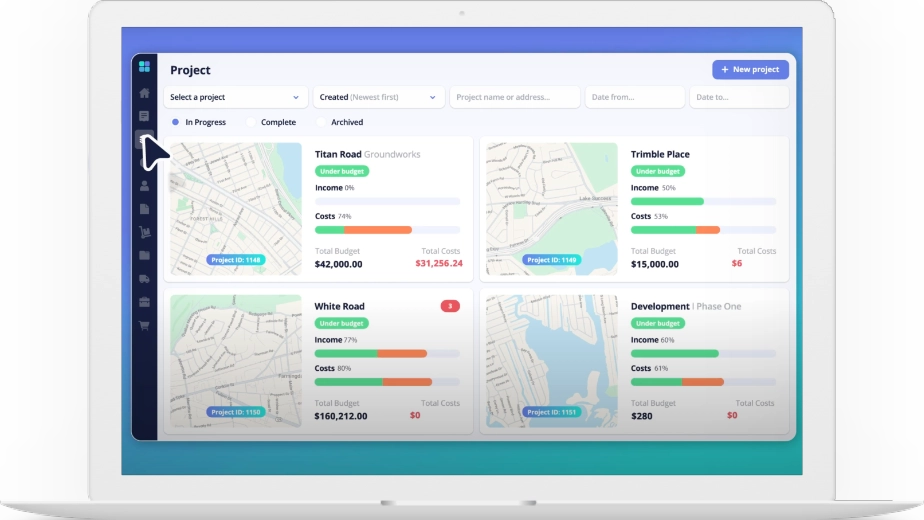
LiveCosts delivers real-time job costing for labour, materials, plant and subcontractors. Every cost is tracked against the project budget as work happens, giving instant visibility into project profitability before month end.

Procurement

LiveCosts manages the entire procurement process, including purchase requisitions, AI-powered RFQs, supplier quote comparisons, purchase orders, delivery tracking and invoice approvals.

macbook@2x

LiveCosts and Xero features compared

Compare features and real customer-tested differences on forecasting, POs, variations, CIS and retention.

Job Costing

LiveCosts is purpose-built for construction companies. It helps project teams control costs before they become financial problems by managing budgets, procurement, labour, subcontractors, invoices and project profitability in real time.

LiveCosts

Monitor labour, materials, plant, subcontractors and overheads against live project budgets. Every cost is tracked as it happens, giving complete visibility of project profitability before month end.

Xero

Track project income and expenses through Xero Projects to understand overall project performance. Suitable for basic project accounting but with limited construction-specific functionality.
Budget vs Actual

Xero is an excellent cloud accounting platform designed to manage your company finances, invoicing, payroll, VAT and reporting. It records what has already happened financially.

LiveCosts

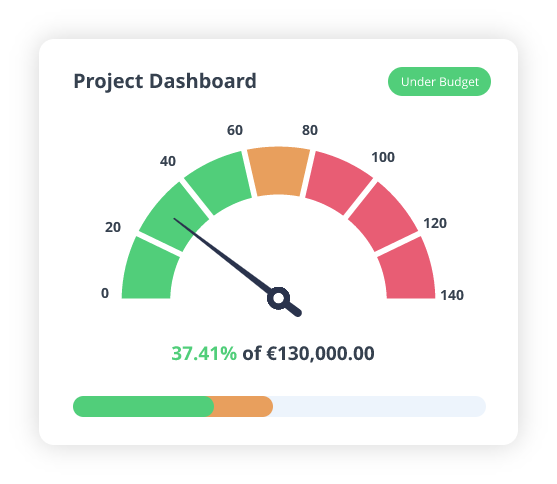
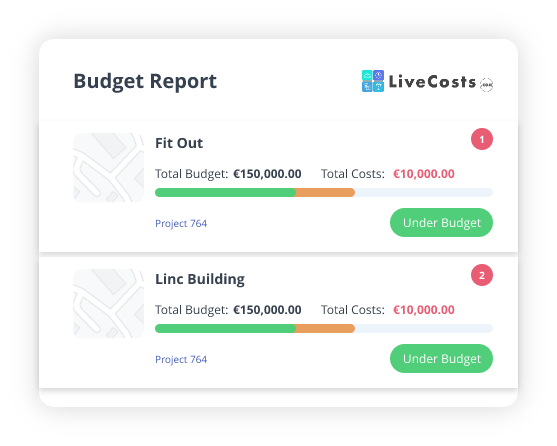
Track live budgets against actual costs and committed costs in real time. Instantly identify overspend and take action before it affects project margins.

Xero

Compare project costs after transactions have been entered into the accounting system. Visibility is based on historical financial data.

Ready to get started?

Discover how easy it can be to track and control costs in real time.

Implementation timelines

LiveCosts offers guided onboarding, helping contractors get started in just a few days. Xero setup times vary depending on accounting requirements, data migration and business complexity.
Product Typical Duration Typical Steps
LiveCosts Few Days 1. Connect Xero and import your projects.
2. Set up cost codes, approvals and teams.
3. Go live and roll out across projects.
Xero Several Weeks 1. Set up Xero with company accounts and VAT.
2. Connect bank accounts and import contacts.
3. Configure invoicing and reporting.
4. Set up Xero Projects if required.

Note: Implementation times depend on business size, project complexity and existing data. Many LiveCosts customers are up and running within 1-5 days. Our onboarding team helps you set up your first project and supports you as you roll out across the business.

Where LiveCosts fits — and common drawbacks

Where LiveCosts fits

Contractors looking for real-time job costing rather than month-end reporting.

Businesses that want to manage procurement from requisition through to supplier payment.

Project teams that need live budget vs actual reporting with committed cost visibility.

Companies looking to reduce manual administration using AI-powered invoice processing.

Construction businesses that want to improve project profitability while continuing to use Xero for accounting.

Common drawbacks of using Xero alone

Limited visibility of committed costs before invoices are received.

Basic job costing designed for accounting rather than live project management.

No built-in workflows for RFQs, purchase requisitions or construction procurement.

Limited support for variations, retentions and progress claims.

No cost-to-complete forecasting based on live project data.

Manual processes can lead to duplicate data entry between site teams and finance.

Project managers often rely on spreadsheets to track budgets, procurement and site costs outside the accounting system.

This positions LiveCosts as a complementary solution rather than a replacement, highlighting where it adds value for construction businesses already using Xero.

Why Choose LiveCosts

The decision depends on what your construction business needs to manage.

Xero: when your main priority is accounting, VAT, payroll, invoicing and straightforward project finance.

LiveCosts: As projects grow in size and complexity, many contractors find they need greater visibility and control over their costs before those numbers ever reach the finance department.

Choose both: Xero + LiveCosts gives contractors detailed project cost control alongside accounting. It’s particularly suited to construction companies that have outgrown spreadsheet-based job costing but want to keep their existing accounting software.

Related Comparisons

LiveCosts is construction cost tracking software that brings budgets, purchase orders, invoices, labour and financial reporting into one system. It helps contractors track actual and committed costs in real time, without relying on manual spreadsheet updates.
See how LiveCosts gives contractors real time control over project costs, procurement and profitability, and how it compares with Eque2.

Frequently asked questions

No. LiveCosts works alongside Xero. Xero remains your accounting system, while LiveCosts manages the construction-specific workflows around project costs, purchase orders, invoices, labour, materials and profitability.
Xero is built for accounting. LiveCosts is built for construction cost control. LiveCosts gives project teams live visibility of committed costs, budgets, purchase orders, deliveries, variations and project profitability before those costs reach the accounts system.
Yes. LiveCosts connects with Xero so approved financial data can flow between your project cost management system and your accounting platform.
Yes. LiveCosts helps replace manual spreadsheets by giving teams one place to track budgets, purchase orders, invoices, labour, materials, plant, subcontractors and project profitability.
Yes. Xero Projects can help with basic project tracking, but LiveCosts provides a deeper construction-specific layer for procurement, committed costs, forecasting, site workflows and real-time project profitability.
Trusted by Contractors Worldwide to Control Project Costs and Protect Profitability.
Ready to get started?

Discover how easy it can be to track and control costs in real time.